Why modern WordPress is a strong fit for associations, regulators, and other mission-driven organizations.
It can be easy to think of your organization’s website primarily as just another communications channel, but in reality, it’s so much more. It’s home to your resources, member services, networking opportunities, registration, and other essential functions. It’s also where the public, professionals, government bodies, and other stakeholders learn about your work, access your services, and understand your role. And it’s where you build the trust and credibility that help advance your mission.
For more than a decade, we’ve worked with WordPress across a wide range of projects. That experience has shown us how the platform can support organizations with complex needs, and it has shaped this guide. Our aim is to help you understand how modern WordPress can meet your organization’s needs and why it deserves serious consideration.
The guide examines WordPress’s core strengths and open-source foundation, along with what it offers in accessibility, security, content management, integrations, artificial intelligence, and long-term value.
Read it from beginning to end for a complete picture of what WordPress can offer, or use each section on its own to focus on the areas most relevant to your organization.
WordPress overview
What we mean by modern WordPress and Enterprise WordPress.
When we use the terms modern WordPress and Enterprise WordPress, we are not referring to separate editions of the software. We mean a deliberate way of designing, building, and operating WordPress for organizations that expect their website to function as durable digital infrastructure.
Enterprise, in this context, is not simply a measure of an organization’s size. It describes the standard expected of the implementation: dependable architecture, a governed publishing experience, reliable infrastructure, integration readiness, controlled deployments, and long-term technical stewardship.
Traditionally, WordPress themes have kept much of a website’s structure in code. These are now generally called classic themes, and changes outside the main page content may require developer support. Hybrid themes bridge that traditional approach and the newer block model, retaining their classic foundation while adopting selected block features.
For new projects, we aim to build purpose-built block themes that take full advantage of WordPress’s Site Editor, also known as Full Site Editing. Block themes bring headers, footers, page templates, and other site-wide elements into the same visual editing system used for content. All three approaches can work, but block themes offer a more consistent modern editing experience and can support leaner front-end performance by loading styles only for the blocks used on a page.1
Block themes also allow the organization’s design system to become part of the publishing experience. Approved colours, typography, spacing, components, and layouts are baked directly into the editor. Communications teams can build pages visually using reusable blocks and patterns that already reflect the organization’s brand, accessibility requirements, and common content needs.
Full Site Editing does not mean giving every user unrestricted control over the entire website. Available blocks and design options can be carefully curated, important layouts can be protected, and approved patterns can guide editors through common publishing tasks. The result is meaningful flexibility within clear guardrails.
A block theme alone does not make a website enterprise-ready. Behind the editing experience, theme code, custom functionality, dependencies, and configuration can be managed through version control software like Git, reviewed through pull requests, tested automatically, and deployed through continuous integration and continuous delivery (CI/CD) across separate development, testing, and production environments. Updates and improvements can follow a controlled, repeatable process instead of being applied directly to the live website.
That is what we mean by modern WordPress and Enterprise WordPress: the platform’s familiar publishing experience and open architecture, delivered through a purpose-built design system, a carefully governed editor, and the mature engineering and operational practices expected of enterprise technology. It is a considerable step beyond an off-the-shelf theme and collection of unrelated plugins.
Market leadership goes beyond the numbers.
WordPress dwarfs every other CMS. As of September 2026, BuiltWith detects it on nearly 30% of the world’s top one million websites by traffic. That is more than seven times the combined detections for Drupal, Adobe Experience Manager, Contentful, Sitecore, and Sanity.2
W3Techs tells a similar story: WordPress powers 40.7% of all websites and 59% of websites with a known content management system.3
WordPress’s enormous market share is more than just a statistic. It is an endorsement from millions of organizations, including many of the world’s most recognizable institutions. That kind of presence is not built on marketing alone. It reflects more than two decades of real-world use, scrutiny, improvement, and continued investment.
In fact, NASA selected WordPress as its new CMS in January 2022 after evaluating more than 60 content management systems, testing prototypes for four candidates, and conducting extensive user testing with its content creators.4 Its requirements included security, accessibility, search-engine optimization, and collaboration.
Taylor Swift’s official website also runs on WordPress, connecting a global audience of Swifties with her music, videos, and latest releases. It is a very different use case from NASA, but another example of the platform supporting a high-profile, high-traffic website. With the right hosting, caching, and technical care, WordPress can serve enormous audiences and accommodate the surges in attention that come with major announcements.
For mission-driven organizations, this makes WordPress a lower-risk long-term choice. Its scale means more people know how to work with it, more companies have invested in supporting it, and many common challenges have already been solved before your organization encounters them.
A website platform should be dependable today and viable years from now. WordPress has the global adoption, developer community, and long-term momentum to support that confidence.
User-friendly, but very powerful.
With WordPress, you are not sacrificing power for usability.
WordPress is deceptively simple. It gives non-technical communications teams a visual, approachable way to make updates and publish content, while offering powerful capabilities that experienced developers can tailor to the organization’s needs.
A well-designed implementation keeps most of the technical complexity behind the scenes. Editors work with clear controls, approved blocks, and reusable layouts, while developers build the integrations, workflows, and specialized functionality that support them.
This balance allows communications, policy, program, and membership teams to publish timely information without creating unnecessary technical bottlenecks. The same website can support organized resource libraries, approval workflows, multilingual content, member services, secure forms, directories, events, and connections to other systems.
For mission-driven organizations, the result is practical: teams gain more day-to-day independence without limiting what the website can become.
No vendor lock-in.
WordPress’s open-source foundation and widespread adoption mean that your organization is not inherently tied to a single service provider. There is a large pool of skilled developers, agencies, hosting providers, and specialists available to support it.
If your needs change or a partnership no longer meets them, you have credible alternatives. WordPress can be hosted in many environments, its open code can be inspected and modified, and its built-in export tools provide a standard way to move much of the website’s content. With a well-built and properly documented website, transitioning to another provider becomes more manageable.5
This gives your organization greater operational flexibility, reduces the risk of depending on a single vendor, and gives every technology partner a strong incentive to continue earning your trust.
For an organization whose website is a long-term public record, a central member service, or an essential public-information channel, that independence matters.
Open source
Enjoy open-source freedom.
Being open source means that WordPress is highly customizable. Organizations are free to tailor the software to their requirements, creating an experience that is unique to their members, stakeholders, and communities.
Open source also provides independence. The underlying platform is not controlled by a single vendor, and it can be hosted, maintained, and extended by a wide range of providers. This reduces your organization’s dependence on a closed platform whose pricing, product roadmap, or rules may change without your input.6
An ecosystem like no other.
The strength of the WordPress community is its own form of organizational resilience.
The sheer variety and specialization offered by WordPress’s open-source community is difficult to match. The official WordPress directory alone includes tens of thousands of free plugins, before accounting for commercial products and custom development.7 Whether the requirement is advanced integrations, dynamic content, accessible publishing, membership, learning, events, ecommerce, analytics, or specialized forms, there is likely a well-supported solution available.
If there is not, WordPress’s open-source code means that a capable team can build it without waiting for a proprietary vendor to add it to its roadmap. AI-assisted development is also giving experienced teams new ways to explore, prototype, and test potential capabilities. We will return to those possibilities later in this guide.
Having said that, the point is not to add features indiscriminately. A responsible implementation uses a carefully selected, well-maintained set of tools, with custom development reserved for capabilities that are genuinely unique to your organization.
Where transparency meets trust.
With open-source software such as WordPress, the source code is publicly accessible. This allows developers, security researchers, and the broader community to examine it for vulnerabilities and improve it over time.
This openness supports a development process that includes public scrutiny, code review by trusted contributors, and a dedicated Security Team that works with researchers, hosting providers, and other partners across the ecosystem.8
Transparency does not eliminate risk, but it creates accountability. Qualified teams can see how the platform works and make informed decisions about how the website is configured, maintained, secured, and evolved.
Platform security
Separate the facts from the myths.
Because WordPress is so widely used, it is a visible target for attackers. Its scale, however, also creates an important security advantage. Its open-source code is examined by a global community of developers, researchers, and security professionals. Vulnerabilities in WordPress core and actively maintained extensions are often identified and patched quickly.9
Like any platform, that protection still depends on proper systems and maintenance. Updates must be applied promptly, extensions must be chosen carefully, and appropriate hosting and access controls must be in place. A less popular platform may attract less attention from attackers, but a lower profile should not be mistaken for stronger security. It may also have fewer researchers examining it and a smaller support ecosystem when problems arise.
Recent evidence from across the wider digital landscape reinforces why these fundamentals matter. Verizon’s 2026 Data Breach Investigations Report found that exploiting software vulnerabilities had become the leading way attackers gained initial access, accounting for 31% of the breaches examined.10 This is not specific to WordPress. It is a reminder that timely updates, strong authentication, careful extension selection, and secure infrastructure matter on every platform.
The important question is not whether a platform can ever have a vulnerability. Every platform can. The question is whether your website will have a sound security posture, a disciplined maintenance process, and clear accountability for ongoing care.
Make the most of powerful security tools.
WordPress’s large ecosystem includes low-quality software as well as exceptional, commercially supported tools. The availability of weak options is not a reason to dismiss WordPress. It is a reason to choose a qualified partner that takes pride in using well-vetted, supported tools that have been assessed for security, performance, accessibility, and long-term maintenance.
A properly managed WordPress website can include single sign-on, multi-factor authentication, least-privilege user roles, web application firewalls, malware scanning, uptime monitoring, off-site backups, encryption, audit logs, and tested recovery procedures.
WordPress core continues to improve as well. Since WordPress 6.6, automatic plugin updates can roll back if an update causes a fatal error. WordPress 6.8 also strengthened password protection by adopting bcrypt, making stored password hashes considerably more difficult to crack.11
Site Health is built right in.
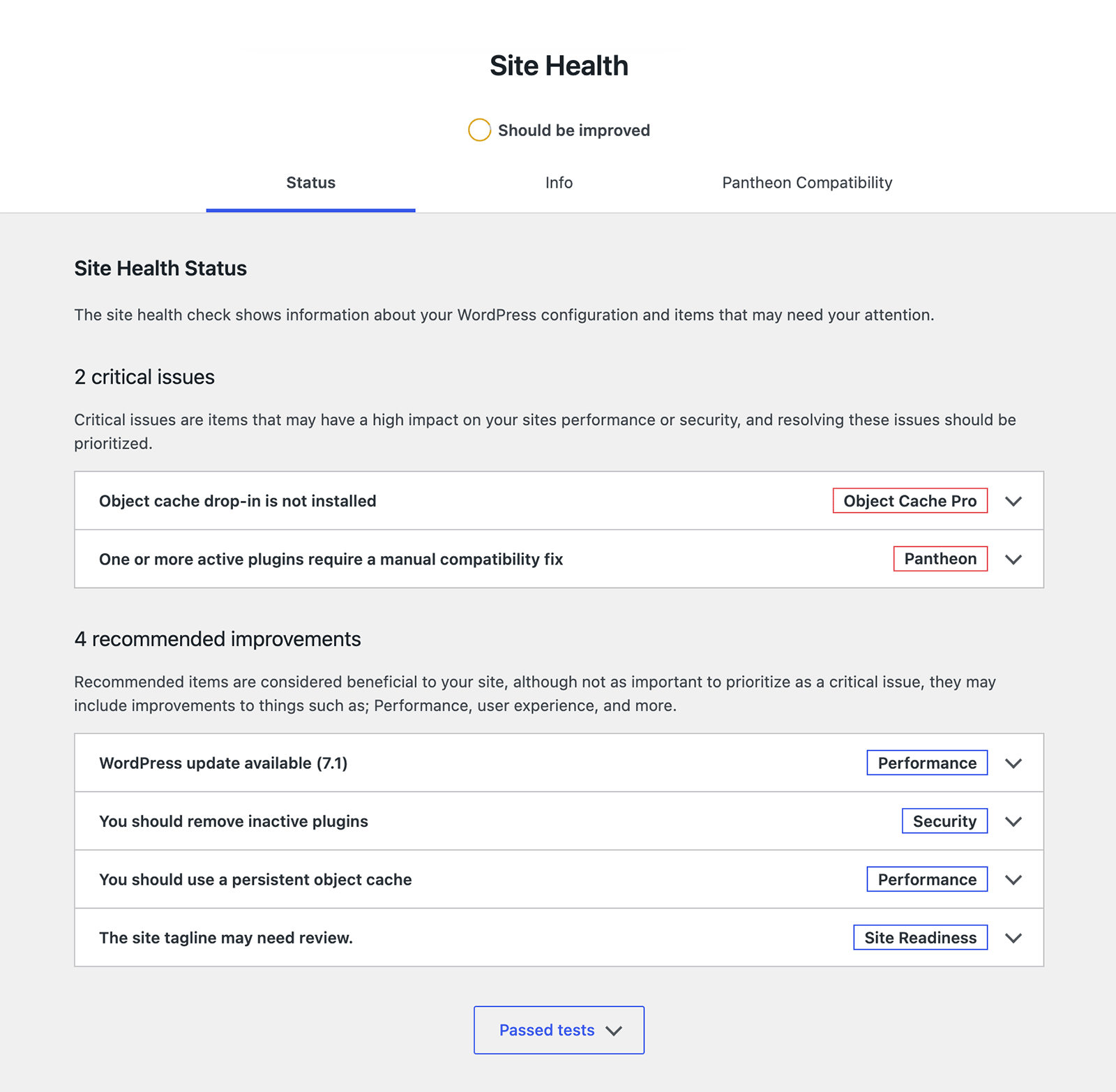
WordPress includes a Site Health screen that checks the website’s configuration and identifies issues that might otherwise go unnoticed. It reports on areas such as the WordPress version, automatic updates, server environment, database, themes, plugins, HTTPS, background processes, and common APIs.12
For organizations with privacy, regulatory, or public-accountability responsibilities, these capabilities should be paired with documented operational practices: regular updates, access reviews, incident response, backup testing, and clear responsibility for the website’s ongoing maintenance.
Accessibility and multilingual communication
Inclusive by design.
WordPress is developed with accessibility in mind. The project targets WCAG 2.2 Level AA as the standard for new and updated code, helping provide a strong foundation for websites that need to reach as many people as possible. This is not just about compliance. It is about opening your digital doors to a broader audience.13
That commitment is visible in the pace of recent improvements. WordPress 6.8 delivered more than 100 accessibility fixes and enhancements, while WordPress 7.0 made the Media Library usable with voice-control software and can automatically bring embedded alternative text into WordPress when an image is uploaded.14
For associations, regulators, non-profits, and public-purpose organizations, accessibility reflects the same values that guide the work itself: fairness, inclusion, clarity, and equal access to information.
Going beyond basic compliance.
There is more to accessibility than meeting standards such as WCAG 2.2 or applicable legal requirements, including those under AODA.15 WordPress’s flexibility makes it possible to incorporate accessibility throughout the experience, from accessible forms and keyboard-friendly navigation to clearer document presentation, captions, transcripts, and content patterns that reduce cognitive load.
WordPress provides a strong foundation, but no CMS makes a website accessible automatically. The theme, integrations, uploaded documents, content, and day-to-day editorial decisions all affect the result. For organizations with formal procurement or compliance requirements, an agreed standard such as WCAG 2.2 Level AA can be included in the project’s acceptance criteria and tested throughout design, development, and ongoing publishing.
The widespread lack of accessibility on the web presents a strategic opportunity for organizations willing to prioritize it. WebAIM’s 2026 review of one million home pages found automatically detectable WCAG failures on 95.9% of them.16 An accessible experience serves people with disabilities, while also helping people on mobile devices, with temporary impairments, slow connections, lower digital confidence, or limited time.
Write locally. Communicate globally.
WordPress can support multilingual websites and localized editorial experiences through a mature ecosystem of plugins and integrations. This can be useful for organizations serving French- and English-speaking audiences, distinct regions, Indigenous communities, international members, or audiences that require translated information.
Looking ahead, multilingual support is the fourth phase of the WordPress long-term roadmap.17 The goal is to bring multilingual capabilities into WordPress core, an especially promising development for organizations communicating across languages and regions.
AI-powered translation tools can help teams move more quickly by preparing a first draft. Human review remains essential because translation is not simply a technical exercise. Terminology, cultural context, legal meaning, and public trust require editorial judgement.
Content management and publishing
Keep important information organized.
Associations, regulators, non-profits, and public-purpose organizations publish a lot of information, often for several different audiences. WordPress gives communications teams a practical way to keep that information organized, current, and easy to find.
A resource library can bring together practice standards, regulatory guidance, learning materials, reports, policies, and other publications in one place. Visitors can browse or filter those resources by topic, audience, type, publication date, or other useful criteria.
News, events, consultations, directories, funding programs, staff and board profiles, member content, and public-service information can be managed in much the same way. Each can have a clear publishing form for editors and a consistent presentation for visitors.
Information also does not need to be copied across multiple pages. An event, resource, or directory listing can be updated once and shown wherever it belongs, including program pages, topic indexes, calendars, and related-content lists. This reduces repetitive work and the risk of outdated information remaining online.
Easier to manage day to day.
WordPress can be set up to reflect the way your communications team actually works. Staff can draft, review, schedule, publish, and update content through a familiar administrative interface. Roles and permissions control who can make changes, while revisions, previews, and reusable layouts help maintain quality and consistency.
Organizations that require more oversight can add approval workflows, assigned reviewers, review dates, archiving processes, and detailed activity records. This gives communications staff and subject-matter experts a practical way to collaborate while maintaining the appropriate controls.
Recent WordPress releases have made this work more collaborative. Notes lets reviewers leave feedback directly on individual blocks, keeping conversations connected to the relevant content. The Visual Revisions interface makes it easier to compare earlier versions in the editor and restore previous work.18
For lean teams, this means fewer repetitive updates, fewer developer bottlenecks, and more time for meaningful communications work.
Beautifully simple block editing.
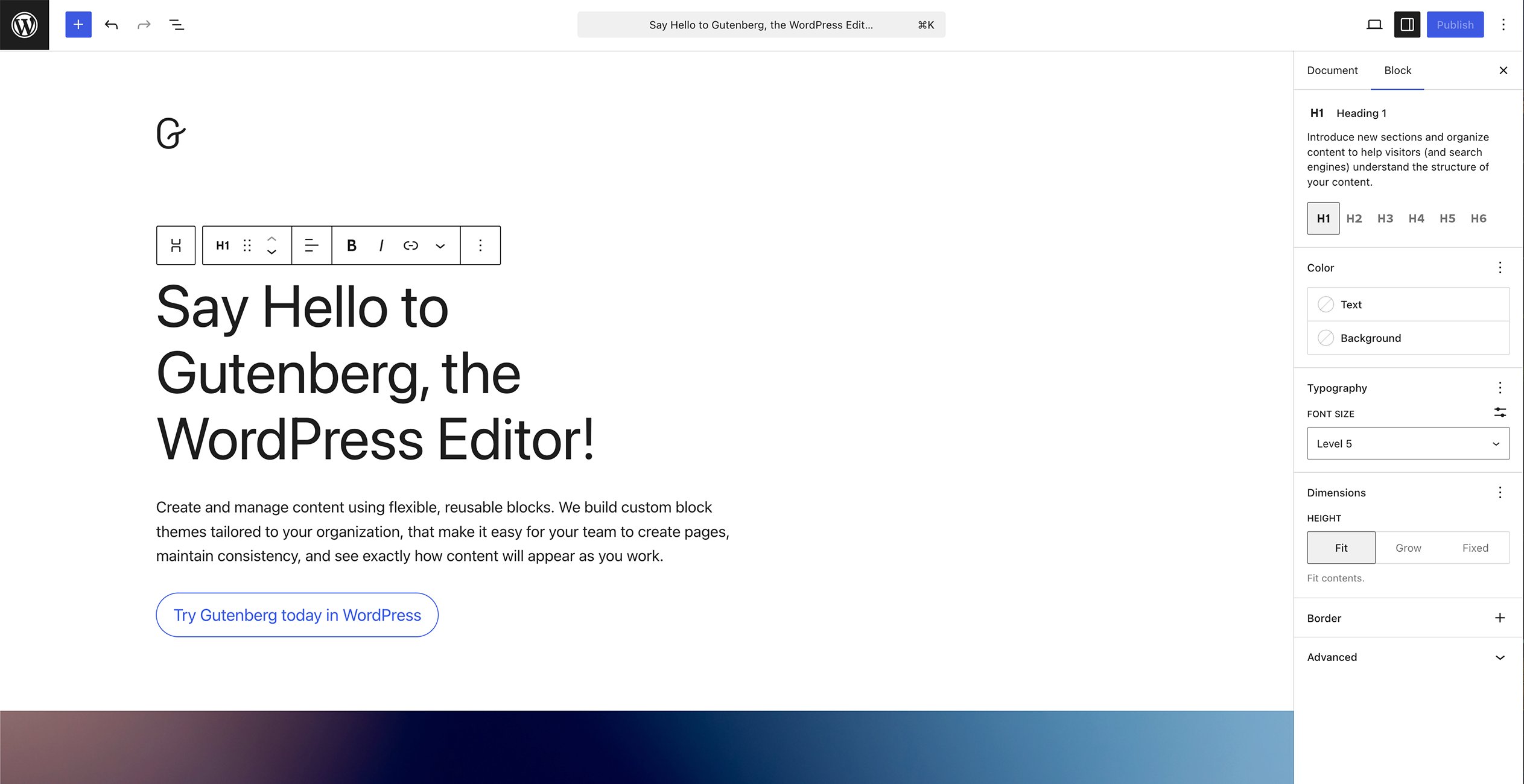
WordPress’s block editor lets communications teams build pages from reusable elements such as text, images, videos, calls to action, forms, downloads, and related resources. Editors can arrange these elements without coding or turning every new page into a custom development project.
Because the editing canvas closely reflects the finished page, editors can understand its hierarchy and flow as they work instead of filling in a series of fields and relying on a separate preview.
A well-designed WordPress site can also provide approved layouts for common needs such as resource pages, consultations, events, campaigns, and policy updates. This gives editors meaningful flexibility while protecting brand standards, accessibility, design consistency, and governance.
Synced patterns can keep common components consistent throughout the website, while pattern overrides let editors change specific text, images, and links without altering the approved design.19
Keep control of your content.
Your content is one of your organization’s most valuable assets. You should be able to access it, use it in other systems, and take it with you if your needs change.
WordPress includes built-in export tools and a well-established REST API, giving organizations practical ways to retrieve and reuse their content.20 With the right integrations, information managed in WordPress can also support a CRM, association management system, event platform, learning management system, mobile application, member portal, or public directory.
This allows WordPress to serve as a dependable publishing hub, while giving your organization more options as its technology and communications needs evolve.
Performance, infrastructure, and scalability
Performance starts with the experience.
Speed is part of effective service delivery. Someone looking for a practice standard, submitting a consultation response, registering for an event, or accessing a member resource should not have to wait for the website to catch up.
A modern WordPress site can be engineered to deliver lean, highly cacheable pages, optimized images, and scripts and styles that load only where they are needed. Combined with a content delivery network and careful front-end development, this can produce fast load times and strong Core Web Vitals results for users across a range of devices and connection speeds.21
WordPress itself also continues to introduce new performance capabilities. Speculative Loading, introduced in WordPress 6.8, can begin fetching a likely destination as a visitor starts navigating to it.22 In supported browsers, this can make moving between pages feel nearly instantaneous.
Near-headless performance without giving up visual editing.
With full-page caching and edge delivery, public pages can often be served as ready-made HTML without rebuilding them from the database for every visitor. Combined with a lean front end and features such as Speculative Loading, this creates what we think of as near-headless performance: fast, cacheable delivery without separating the website from its content management system.
WordPress preserves a polished, visual editing experience. In a well-designed block system, editors work within a canvas that closely resembles the finished page. They can place and rearrange text, media, calls to action, downloads, and related resources while seeing how those elements work together.
Headless platforms can also offer live previews and visual page builders, but those experiences depend on a separately implemented front end. WordPress’s advantage is that visual composition is part of the CMS itself: content, reusable patterns, and page templates can share the same block-based editing system.
WordPress keeps content, layout, previewing, and publishing within one connected experience. Communications teams can get the performance commonly associated with headless architecture without taking on a separate front-end application or sacrificing an intuitive publishing workflow.
Ready for moments of high demand.
Traffic is rarely consistent for associations, regulators, and public-purpose organizations. A new practice standard, registration launch, election, consultation deadline, or major public announcement can bring a sudden increase in visitors.
Page caching and content delivery networks can absorb much of the demand for public content. Sites with member services, personalized information, complex searches, or high-volume form submissions can use object caching, database optimization, load balancing, and scalable cloud infrastructure to support more dynamic activity.
Performance planning should reflect these real-world situations. Testing an ordinary page view is useful, but organizations should also understand how the website performs when many people search, register, sign in, or submit information at the same time. Realistic load testing can reveal bottlenecks before a deadline or launch turns them into service disruptions.
Pair it with powerful WebOps.
Strong performance needs an equally strong operational foundation. Managed WordPress WebOps brings development and testing environments, version control, controlled deployments, automated backups, monitoring, logging, caching, and content delivery together within a coordinated platform.
Modern WordPress websites are extremely well suited to continuous integration and continuous delivery, commonly known as CI/CD. Continuous integration means that each proposed change can be built and tested automatically. Continuous delivery means that approved changes can move through environments using the same controlled, repeatable release process.
Custom themes, plugins, front-end assets, dependencies, and non-sensitive configuration can all be managed as code. Tools such as GitHub, automated test suites, WP-CLI, and modern build systems make that code easier to review, test, deploy, and maintain.23
In a modern workflow, GitHub acts as the source of truth for the website’s code. Developers work in branches, propose changes through pull requests, and maintain a clear history of who changed what and why. Automated checks can review code quality, run tests, scan for known risks, and prepare a consistent release before anything reaches the live website.
Approved changes are deployed to development and testing environments first. They can be reviewed by technical teams, communications staff, and other stakeholders before moving into production through the same repeatable process. Production is not a place where project code is edited directly or routine updates are applied without testing and review.
This is a very different operating model from the informal workflows sometimes associated with WordPress. It gives organizations the audit trail, quality controls, separation of environments, and release discipline expected of durable enterprise technology.
The larger benefit of WebOps is continuous improvement. Instead of waiting years to bundle every need into another major redesign, teams can safely release smaller changes as evidence, standards, services, and audience expectations evolve. The goal is a website that never needs a traditional relaunch simply because it has been allowed to fall behind. Major changes remain possible, but they become strategic choices rather than rescue projects.
Scale across programs, regions, and audiences.
Growth does not always mean attracting more traffic. For mission-driven organizations, it can mean introducing new programs, regulatory functions, member services, chapters, regions, languages, or ways for people to access information.
WordPress can support that expansion as part of a connected digital ecosystem. Its APIs and open architecture allow new services and integrations to be added without rebuilding the website around every emerging need.
Organizations managing several programs, brands, chapters, regional sites, or language sites can also use WordPress Multisite where shared technology and governance make sense.24 Communications teams can manage content for their own audiences, while technical teams maintain shared themes, plugins, users, standards, and updates across the network.
This gives organizations room to expand their digital presence without creating a collection of disconnected platforms. New initiatives can build on an established foundation instead of starting again with a separate technology stack.
WordPress and the AI-enabled future
AI that can do useful work.
Artificial intelligence is rapidly changing what small teams can accomplish. Within WordPress, its potential extends far beyond generating another paragraph of website copy. AI can help organizations create, improve, organize, find, translate, and reuse information throughout the publishing process.
A communications team could use AI to prepare a plain-language summary of an approved report, suggest alternative text for an image, turn meeting notes into a draft resource, identify inconsistent terminology, or adapt content for another audience. It could recommend titles, excerpts, metadata, internal links, and related resources while an editor works inside WordPress.
The possibilities become even more powerful across a large content library. AI can help surface outdated pages, find resources missing important information, classify documents, compare related policies, and identify content that may be affected by a new standard or regulatory change. With the right search and AI tools, meaning-based search can help staff, members, or the public find answers across years of guidance, publications, and learning materials without knowing the exact words used in the original content.
An open platform for intelligent workflows.
WordPress is especially well positioned for this future because its content and functionality are already accessible through well-established, open interfaces.
The WordPress REST API allows authenticated applications to retrieve, create, and update posts, pages, media, taxonomies, and custom content. WP-CLI provides a programmatic way to perform administrative and bulk operations. Together, they make it possible to build AI tools that work with WordPress data rather than simply generating text outside the publishing system.
An AI assistant could inventory thousands of resources, identify content due for review, apply consistent classifications, create draft updates, prepare metadata, or synchronize approved information with another system. A custom assistant could help staff search internal materials, assemble answers from authoritative sources, and turn the result into a draft page ready for review.
WordPress now has a dedicated, provider-independent foundation for these capabilities. The project has an official WordPress AI Team, and several of its core building blocks are already available:
- The Abilities API gives WordPress, themes, and plugins a standard way to describe what they can do in a format that automation tools and AI agents can understand.
- The AI Client in WordPress 7.0 provides a common way for developers to connect WordPress features with different AI providers.
- The WordPress AI Team’s MCP Adapter can translate selected WordPress abilities into tools that compatible AI assistants can discover and use.
WordPress 7.0 made this direction much more tangible. Its Connectors screen provides a central place to connect external services, including AI providers. An optional AI plugin brings a growing set of practical tools into the editor, including suggested titles, excerpts, and alternative text, along with image generation and editing.25
This represents an important shift. WordPress can describe its capabilities to an AI assistant, and the assistant can use those capabilities through defined inputs, outputs, permission checks, and workflows. A conversation with an AI tool could lead directly to a content audit, a set of draft updates, a new resource collection, or another meaningful action inside WordPress.
Control stays with your team.
Responsible AI does not need to feel restrictive. It means using AI to accelerate the work while keeping editorial judgement and organizational accountability where they belong.
AI tools can generate draft copy directly inside a post, but nothing about that assistance requires automatic publication. WordPress provides drafts, previews, revisions, and user roles, and it can support more formal approval workflows where needed. Teams can allow AI tools to read information, make recommendations, or prepare drafts without giving them authority to publish.
The same approach applies to content improvement. AI can flag unclear writing, missing metadata, inconsistent terminology, accessibility concerns, outdated references, or content that no longer follows organizational standards. It can suggest a stronger version and leave the final decision with the editor.
The goal is to streamline publishing rather than replace the people responsible for it. Subject-matter experts continue to provide knowledge and context. Communications professionals continue to shape tone, clarity, and audience fit. AI helps them move from a blank page to a strong draft, or from an overwhelming content library to a manageable set of actions.
Powerful possibilities within reach.
These capabilities are not limited to large enterprises with dedicated AI teams. A smaller association might begin with AI-assisted summaries, alternative text, and a recurring content review. A regulator could create an internal search assistant grounded in approved guidance. A non-profit could use AI to classify years of resources and make them easier for the public to discover.
Organizations can begin with one focused workflow and expand as they see value. For a small team, that can mean gaining capabilities that once required a custom software project or a much larger content operation. WordPress makes those possibilities practical, incremental, and within reach.
WordPress compared with other platforms
Choose based on fit, not fashion.
Every content platform reflects certain assumptions about who will manage the website, what the technical team will support, and how the organization expects its digital presence to evolve.
Will the website be led primarily by a communications team or a software development team? Does content need to serve one main website or many applications and channels? Does the organization genuinely need advanced personalization, experimentation, and digital asset management? Does it have the capacity to operate a large enterprise platform?
The answers reveal more than any feature checklist.
Drupal offers solid governance, but adds complexity.
Drupal can be a strong option for organizations with exceptionally complex permissions, editorial workflows, or data relationships. Its configuration and governance capabilities are extensive. Drupal’s core content moderation tools, for example, support custom publishing states and controlled transitions while keeping the published version of a page online.
That depth can be valuable for institutions with dedicated platform teams and highly specialized requirements. However, it can also introduce more administrative and development complexity than many associations, regulators, and non-profits need.
WordPress also supports custom content types, approvals, permissions, integrations, and sophisticated publishing workflows, but without the added complexity. WordPress excels when the goal is to give communications teams a powerful publishing environment without placing a specialist platform between them and their content.

Drupal CMS with Canvas is included; WordPress assumes a tailored block theme and suitable extensions for advanced approvals. Cost covers the build and three years of operation. Ratings are our editorial assessment, with hatched ranges reflecting implementation differences. See accompanying methodology. Disagree? Let’s connect.
Headless platforms are for developer-led teams.
Payload, Sanity, and Contentful belong to a broad category of developer-first, headless, or composable content platforms. They are not interchangeable, but they share a general philosophy: content is managed separately and delivered through APIs to a website, application, or other digital experience.
These platforms offer considerable freedom over content models, front-end technology, and delivery. Several also provide live previews, click-to-edit tools, and visual page builders, giving editors more control over the finished page.
For a communications-led website, we consider Gutenberg the stronger choice for day-to-day publishing. In a well-built block theme, editors can compose content, reuse approved patterns, and work with page templates through the same native editing system. Headless visual builders still depend on a separately implemented front end, with its own components, preview configuration, and maintenance. WordPress brings those publishing capabilities together within the CMS, reducing the integration work needed to give editors a consistent experience.
That additional architecture can be worthwhile when an organization needs to distribute the same content across websites, mobile applications, digital products, displays, and other channels. For a communications or marketing-led website, it may mean investing substantial development effort to recreate page composition, search, forms, navigation, SEO tools, and other capabilities that WordPress already provides.

Sanity Visual Editing and Contentful Studio are included; Payload is assessed on its available live-preview tools. Contentful’s cost range assumes a Studio-enabled commercial implementation. Cost covers the build and three years of operation. Ratings and hatched ranges express our editorial assessment for this publishing brief. See accompanying methodology. Disagree? Let’s connect.
Digital experience platforms offer enterprise scale at an enterprise cost.
Sitecore and Adobe Experience Manager sit at another level of the market. These are broad digital experience platforms (DXPs) built for organizations managing complex customer journeys, large asset libraries, extensive personalization, experimentation programs, global brands, and many digital properties.
That breadth may be justified when an organization has the strategy, team, data, and operating capacity to use it. Choosing one is usually more than selecting a CMS. It is a commitment to a larger technology ecosystem, specialized expertise, substantial integration work, and ongoing platform ownership.
For many associations, regulators, and public-purpose organizations, that can be significantly more infrastructure than the mission will ever require. If advanced personalization, large-scale experimentation, and enterprise asset operations are not central to the digital strategy, the organization may carry the cost and complexity of capabilities it rarely uses.

This assesses organizational publishing and CMS delivery; broader personalization, experimentation, and digital asset suites are outside the comparison. Cost covers implementation and three years of licensing, hosting, maintenance, and support. Ratings are editorial judgements; the highest cost band is a planning assessment, not a vendor quotation. See accompanying methodology. Disagree? Let’s connect.
Hosted website builders offer convenience but have limits.
Webflow, Wix, and Squarespace provide a relatively fast route to a polished website with much of the technical infrastructure already managed.
These platforms can be effective when an organization’s needs align closely with the experience the vendor has designed. Their boundaries become more noticeable as requirements expand to include complex resource libraries, member services, custom permissions, specialized integrations, multilingual governance, or unique publishing workflows.
WordPress can support these needs while integrating with CRM, marketing, membership, and other systems without requiring the website itself to live inside any one vendor’s ecosystem.

WordPress assumes tailored blocks, approved patterns, and appropriate editing permissions. All four platforms offer design controls; ratings reflect our judgement of the configured workflow. Cost covers the build and three years of operation, with hosted builders assuming their standard features meet the brief. See accompanying methodology. Disagree? Let’s connect.
Ecommerce platforms put online selling first.
Many associations also run online shops, selling branded clothing, publications, courses, and other resources. These sales can support revenue and member services, but they are often one part of a broader website.
Shopify, BigCommerce, and Magento are built around ecommerce. Shopify and BigCommerce provide hosted platforms for managing products, payments, orders, and fulfilment. Magento Open Source offers extensive customization, but requires a team to manage its hosting, development, and maintenance. These can be strong choices when commerce is the main purpose of the website.
WooCommerce brings ecommerce directly into WordPress. An association can keep its shop within the same website, with consistent branding, navigation, content, and user accounts. With the right extensions and integrations, it can also support member pricing and connect course purchases to a learning management system. The result can be a more seamless journey from finding a resource or program to buying it, with staff managing content and commerce in one familiar environment.

WooCommerce reuses an existing WordPress foundation; hosted-store costs include site adaptation, integration, apps, and support. Cost covers the build and three years of operation, excluding payment processing, fulfilment, and sales-volume fees. These are editorial planning ranges: a simple standalone hosted store can cost less, and complex WooCommerce projects can cost more. See accompanying methodology. Disagree? Let’s connect.
AI app builders accelerate development, but publishing needs its own foundation.
AI app builders such as Lovable and Base44 let people create websites and applications by describing what they want in plain language. They can help organizations explore ideas, build useful tools, and bring new digital services to life with less initial development effort.
For a website centred on publishing, the longer-term question is how staff will manage it. Drafts, revisions, approvals, reusable content, multilingual publishing, and resource libraries need to be considered as part of the implementation. Organizations also need to understand how the resulting application will be tested, maintained, and supported as requirements change.
WordPress provides an established foundation for that ongoing publishing work. AI app builders can complement it by helping teams develop tools and services around the main website.
The WordPress advantage is significant.
WordPress offers a rare combination. Communications teams get an established publishing environment and a visual editing experience that closely reflects the page they are creating. Developers get open APIs, reusable components, custom data models, integrations, and the ability to manage the platform through Git, CI/CD, and mature WebOps practices.
Its open-source licence helps protect long-term independence and reduces dependence on a single software vendor. Its widespread adoption also creates a large market of developers, agencies, hosting providers, integrations, and support options.
This makes WordPress particularly well suited to mission-driven organizations that need more than a simple website, but do not want their communications platform to become a proprietary enterprise technology program or a custom software product.
Modern WordPress can deliver the accessibility, governance, performance, integration capabilities, and technical durability expected of an enterprise platform while remaining practical for the people responsible for publishing and managing the organization’s work. That balance is why we have chosen to make it our speciality.
Cost, independence, and long-term value
Understand the full cost of ownership.
The cost of a website is much larger than the amount spent to launch it. A meaningful comparison should consider what it will cost to build, operate, improve, and eventually replace over the years it serves the organization.
That includes several kinds of investment:
- Implementation costs, including strategy, research, design, development, content migration, integrations, accessibility, and training.
- Operating costs, including hosting, WebOps, support, monitoring, security updates, plugin licensing, analytics, and content administration.
- Change costs, including new services, changing regulations, additional languages, integration updates, and evolving audience expectations.
- Transition costs, including the work required to change providers, replace technology, export data, or eventually move to another platform.
These costs exist with every serious platform. The difference is where they appear. A proprietary platform may bundle some costs into its subscription while charging separately for additional users, environments, features, traffic, or services. A headless CMS may have a relatively modest platform cost while requiring more custom front-end development and cloud infrastructure. An enterprise digital experience platform may involve licensing, specialized implementation, and a permanent internal platform team.
WordPress core is open-source and has no licence fee, but a professionally designed and responsibly managed WordPress website is not free. It still requires skilled people, dependable infrastructure, ongoing improvement, and attentive stewardship.
The economic advantage is that more of the investment can be directed towards the website itself, instead of simply paying for permission to use the underlying software.
Invest in capabilities, not unnecessary complexity.
WordPress’s extensive ecosystem can reduce the need to build every capability from scratch. Established tools are available for forms, search, events, memberships, learning, ecommerce, multilingual publishing, integrations, analytics, and many other common requirements.
That does not mean installing a plugin for every problem. Each dependency should be evaluated for quality, accessibility, security, support, and long-term viability. A carefully selected and well-maintained extension can provide significant value. An accumulation of poorly chosen plugins can create technical debt and increase operating costs.
The same principle applies to customization. Custom development is most valuable when it addresses a genuine organizational need or creates a distinctive service. Routine capabilities should use dependable, established solutions whenever those solutions meet the requirement well.
This balance allows organizations to invest in the areas that make their digital presence more useful, rather than repeatedly funding technical foundations that already exist.
Independence creates long-term value.
One of WordPress’s most important financial advantages is the freedom it preserves.
Organizations have choices among hosting providers, development partners, support models, analytics tools, integrations, and operational approaches. The platform itself does not bind the website to one vendor’s product roadmap, pricing model, or continued interest in serving the market.
The large WordPress support market also gives organizations more options when their needs change. Moving to a new agency or hosting provider still requires planning and effort, but it does not ordinarily require abandoning the platform and rebuilding the website.
That freedom is not automatic. A poorly documented custom theme, an overly proprietary page builder, or an unnecessary collection of dependencies can create lock-in within WordPress itself. Long-term portability requires disciplined architecture, well-organized content, documented integrations, supported technology, and code that follows established standards.
WordPress provides the conditions for independence. A thoughtful implementation protects it.
A website that keeps improving.
A website should not be treated as a fixed asset that gradually deteriorates until another large redesign becomes unavoidable. Audience expectations, organizational priorities, accessibility standards, security practices, and technology will continue to change.
This approach reflects a wider principle of modern digital service delivery. The Government of Canada’s Digital Standards call on teams to iterate and improve frequently in response to user needs.26
Modern WordPress is well suited to that continuous improvement. Supported by WebOps, version control, CI/CD, testing environments, monitoring, and analytics, teams can make measured improvements throughout the life of the website. They can refine navigation, improve performance, introduce new content types, strengthen accessibility, add integrations, and respond to emerging needs without replacing the entire platform.
This is the idea behind a website that never needs another forced relaunch. A future redesign may still be worthwhile when the organization’s identity, audiences, or strategy change significantly. It should be a deliberate decision, not an expensive rescue from an obsolete or inflexible platform.
A durable WordPress foundation allows the digital experience to evolve one component, service, and improvement at a time.
Viable and adaptable for the long haul.
WordPress has been continuously developed since 2003, with regular major, maintenance, and security releases.27 It benefits from a global community of developers, designers, accessibility specialists, security researchers, hosting companies, agencies, and users.
Its open-source foundation allows it to evolve alongside web standards and emerging technologies without placing its future in the hands of a single company.
As an organization launches new programs, expands its services, supports additional languages, improves member engagement, or adopts new AI capabilities, WordPress can adapt without requiring the digital foundation to be reconsidered each time.
The long-term value of WordPress is larger than a lower initial price. It comes from platform independence, a broad support market, portable organizational data, and the ability to keep improving without repeatedly starting over.
For mission-driven organizations, that means more resources can remain focused on serving people, communicating clearly, and advancing the mission.
Scope and perspective. These charts are Twirling Umbrellas’ editorial assessment, reviewed in September 2026, for a professionally implemented, communications-led organizational website. The brief includes regular news and resources, reusable landing pages, 3–10 editors, forms, and connections to existing member or CRM systems. WordPress is highlighted because it is our recommended approach for this brief. The charts do not calculate an overall winner or compare complete association management systems.
How to read the bars. Capability ratings use five ordered categories: 1 Limited, 2 Basic, 3 Capable, 4 Strong, and 5 Excellent. Higher is better. Cost uses four separate planning bands: 1 Low, 2 Moderate, 3 High, and 4 Very high. Lower is better. Solid bars reach the lower end of a range; hatched extensions reach the upper end. Ranges reflect differences in implementation and workflow fit. These are editorial judgements, not measured usability results, statistical confidence intervals, dollar estimates, or ratios. A score of 4 does not mean twice the capability or cost of 2.
What overall cost includes. Cost covers the initial implementation plus three years of CMS fees, hosting, routine maintenance, and technical support. It excludes content production, major migrations, taxes, and external association management or CRM subscriptions. Ecommerce also excludes payment processing, fulfilment, and sales-volume fees. Scope, suppliers, and operating requirements can move a project outside the illustrated band. WordPress has no core licence fee, but professional delivery and ongoing care still cost money.
What the criteria mean. All platforms assume competent professional setup, appropriate paid plans, and suitable extensions. Ratings describe their fit for this brief, rather than the limits of what a developer could build.
- Publishing experience / content and publishing: visual page composition, reusable layouts, and routine publishing for a content-rich website. WordPress assumes a native block theme and well-designed patterns; headless visual-editing tools are included.
- On-brand publishing: staff creating and rearranging pages from approved components with few design decisions. WordPress assumes tailored blocks, patterns, content-only editing, and appropriate locking permissions. Webflow, Wix, and Squarespace also receive credit for their components, design controls, and editor permissions.
- Website tools: the breadth of established tools for forms, search, SEO, directories, events, and editorial needs. Extensions and services can require additional fees and integration.
- Editorial governance: permissions, publishing states, approvals, and editorial oversight. Advanced WordPress workflows assume suitable extensions; SaaS controls may require higher tiers.
- Provider choice: the ability to change the core CMS hosting or operating provider while retaining the application. Export tools and open APIs remain valuable, but they do not make every proprietary backend independently hostable. A lower score does not imply that the vendor owns the customer’s content.
- Multichannel delivery: suitability for supplying content to independent websites, apps, and other channels. WordPress can also serve content through APIs.
- Customization: the ability to adapt data models, application behaviour, and integrations. A higher score does not mean custom work is included or inexpensive.
- Managed operations: how much core store infrastructure the commerce vendor operates. Hosted commerce includes that infrastructure; WooCommerce assumes managed WordPress hosting, with application and extension maintenance still requiring care.
Comparison-specific assumptions. The Drupal comparison includes Drupal CMS with Canvas. The headless comparison includes Sanity Visual Editing and Contentful Studio; Payload’s announced Visual Editor was not scored as a shipped feature at review. Contentful’s cost band refers to a Studio-enabled commercial implementation with frontend delivery and support. The enterprise comparison covers Sitecore’s enterprise cloud CMS and AEM Sites as a Cloud Service, rather than their complete product suites. Their cost bands reflect enterprise implementation, licensing, integration, and support, rather than quoted minimum prices. Hosted-builder costs assume standard features satisfy the brief.
Ecommerce starting point. The commerce chart assumes an existing content-rich WordPress website adding an integrated store. WooCommerce can reuse its publishing system, design, content, and infrastructure. Shopify and BigCommerce costs include professional content/site adaptation, integration, app subscriptions, and ongoing technical support in that context. Simple standalone hosted stores can cost less; extensive WooCommerce development can cost more. Pairing a commerce backend with WordPress or a custom frontend also changes the publishing comparison.
Evidence and limitations. Official product documentation informs the feature descriptions and architectural assumptions. The ratings and relative cost bands remain our professional judgement. We did not conduct a timed usability study or collect like-for-like vendor quotations. Different editorial priorities, implementation choices, or business models can reasonably lead to a different assessment. Disagree? Let’s connect.
- WordPress.org, “Block Stylesheets,” Theme Handbook, accessed August 20, 2026. ↩︎
- BuiltWith, “Content Management System Web Usage Distribution,” last updated September 14, 2026, accessed September 17, 2026. Among the top one million websites by traffic, BuiltWith detected WordPress on 295,170 sites (29.5%), compared with 39,494 combined detections for Drupal (21,452), Adobe Experience Manager (7,822), Contentful (4,746), Sitecore CMS (2,593), and Sanity (2,881). The ratio is approximately 7.47 to one. Technology detections may overlap on the same website. ↩︎
- W3Techs, “Usage Statistics and Market Share of WordPress,” August 20, 2026. ↩︎
- NASA, “Web Modernization Picks Up Speed,” IT Talk, April–June 2023, p. 6. ↩︎
- WordPress.org, “About WordPress,” accessed August 20, 2026; WordPress.org, “Tools Export screen,” last updated June 8, 2024, accessed August 20, 2026. ↩︎
- WordPress.org, “About WordPress,” accessed August 20, 2026. ↩︎
- WordPress.org, “WordPress Plugins,” accessed August 20, 2026. ↩︎
- WordPress.org, “Security,” accessed August 20, 2026. ↩︎
- WordPress.org, “Security,” accessed August 20, 2026. ↩︎
- Verizon, “Vulnerability exploitation top breach entry point, 2026 industry-wide DBIR finds,” May 19, 2026. ↩︎
- WordPress.org, “WordPress 6.6,” July 16, 2024; John Blackbourn, “WordPress 6.8 will use bcrypt for password hashing,” Make WordPress Core, February 17, 2025. ↩︎
- WordPress.org, “Site Health screen,” last updated July 12, 2026, accessed August 20, 2026. ↩︎
- WordPress Accessibility Team, “Make WordPress Accessible,” accessed August 20, 2026; World Wide Web Consortium, “Web Content Accessibility Guidelines (WCAG) 2.2,” W3C Recommendation, December 12, 2024. ↩︎
- Jeffrey Paul, “WordPress 6.8 ‘Cecil’,” WordPress.org, April 15, 2025; Joe Dolson, “Accessibility Improvements in WordPress 7.0,” Make WordPress Core, May 23, 2026. ↩︎
- Government of Ontario, “How to make websites accessible,” accessed August 20, 2026. ↩︎
- WebAIM, “The WebAIM Million: The 2026 report on the accessibility of the top 1,000,000 home pages,” February 2026. ↩︎
- WordPress.org, “Roadmap,” accessed August 20, 2026. ↩︎
- Matt Mullenweg, “WordPress 6.9 ‘Gene’,” WordPress.org, December 2, 2025; Amy Kamala, “WordPress 7.0 Field Guide,” Make WordPress Core, May 14, 2026. ↩︎
- Nick Diego, “An introduction to overrides in Synced Patterns,” WordPress Developer Blog, June 18, 2024. ↩︎
- WordPress.org, “Tools Export screen,” last updated June 8, 2024; WordPress.org, “REST API Handbook,” last updated January 16, 2024. ↩︎
- Google, “Web Vitals,” web.dev, accessed August 20, 2026; WordPress.org, “Optimization,” Advanced Administration Handbook, last updated July 7, 2025. ↩︎
- WordPress.org, “Speculative Loading in 6.8,” Make WordPress Core, March 6, 2025. ↩︎
- GitHub, “Understanding GitHub Actions,” accessed August 20, 2026; WordPress.org, “How to WP-CLI,” WP-CLI Handbook, last updated August 12, 2026. ↩︎
- WordPress.org, “WordPress Multisite / Network,” Advanced Administration Handbook, last updated July 7, 2025. ↩︎
- WordPress.org, “WordPress 7.0,” accessed August 20, 2026. ↩︎
- Treasury Board of Canada Secretariat, Government of Canada Digital Standards: Playbook, 2021, Government of Canada Publications. ↩︎
- WordPress.org, “History” and “Releases,” accessed August 20, 2026, WordPress history and release archive. ↩︎